

Before You Begin: Preparing Your Data
The quality of your automated policy is directly dependent on the quality of your input data. For the best results, please ensure your dataset meets the following criteria:- A Labeled Dataset: You need a dataset where labels have already been applied. See this guide if you haven’t done this yet.
- Clear and Consistent Labels: The labels should be accurate and consistently applied. A policy generated from noisy or incorrect labels will not perform well. If you don’t have labels see our Rapid Labelling feature.
- Sufficient Examples: The model needs enough examples to learn the patterns for each label. While the minimum should be at least 10, 40 examples for each label is a good target.
How to Create a Policy from a Dataset
Follow these steps to generate your first automated policy.Navigate to the Policies Page
From the main navigation, head to the Datasets tab.Initiate Policy Creation
Choose the dataset you want to create the policy from and hit ‘Generate Policy’.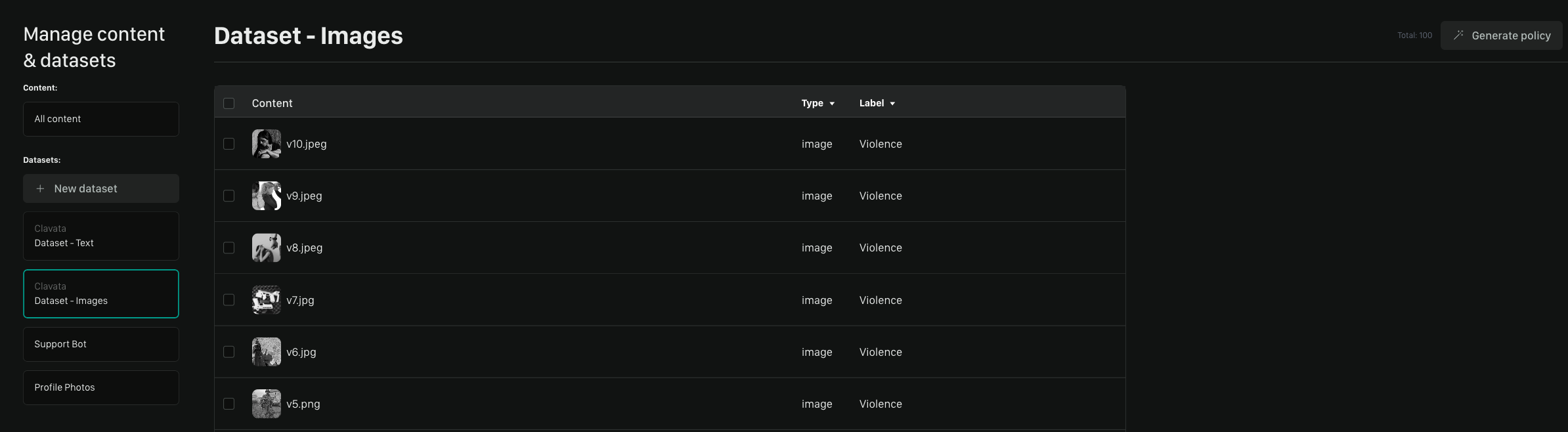
Name Your Policy
This name can be changed later.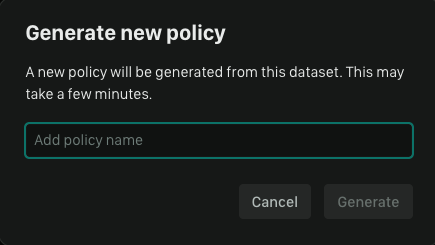
Policy Processing
Once your dataset has been submitted for creation, you can return to the ‘Policies’ tab to see if it has finished.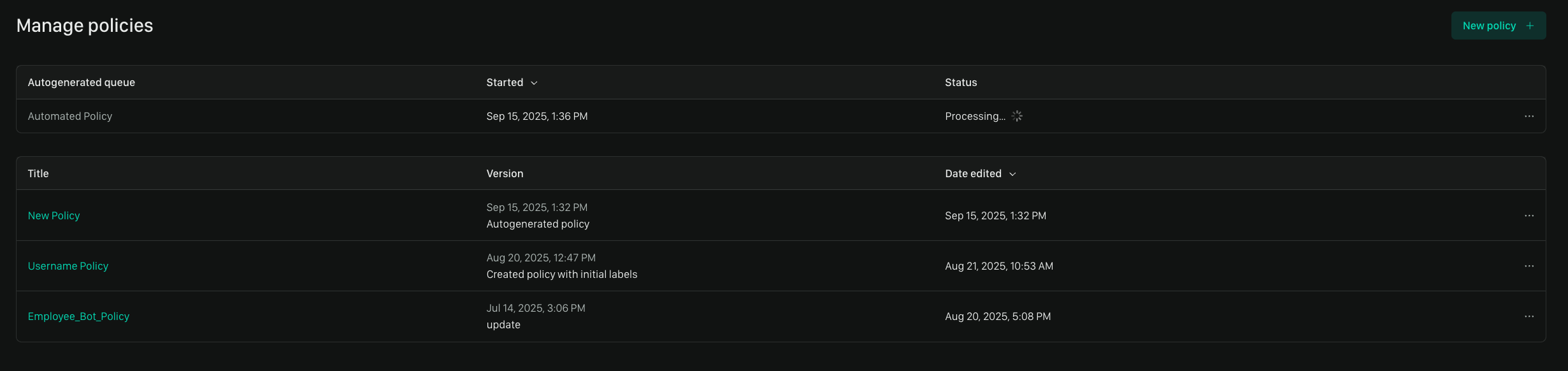
Automated Policy Creation time depends on a number of factors including how
many Labels and examples you have in your dataset.
Best Practices for High-Quality Policies
Keep these tips in mind to ensure your automated policies are accurate and effective.Data Volume and Balance are Key
A policy’s ability to recognize a concept is based on the examples it’s shown. If one label has 1,000 examples and another has only 10, the policy will be far less accurate for the label with fewer examples. For best results, try to provide a relatively balanced number of examples across all labels. We recommend a minimum of 10 examples per label with 40 being the sweet spot.Quality is better than quantity. It’s more useful to have fewer but diverse
representative examples than a large number of bad or repetitive examples.
Think of It as an Iterative Process
Think of your first automated policy as a strong first draft. The best workflows often involve:- Generating a policy from your data
- Reviewing its performance
- Adding more labeled examples to address any weaknesses
- Refining the policy with the improved dataset.
Garbage In, Garbage Out
The APC process learns directly from your labels. If the source data is inconsistently or incorrectly labeled, the resulting policy will inherit those mistakes. Always start with the cleanest data possible.We’d Love to Hear From You
Whether you have a suggestion, feedback, or a bug to report, here are the best ways to get in touch:- In the App: Use the Feedback button for direct suggestions.
- On Slack: Reach out to the team in your shared channel.
- With your AM: Talk to your dedicated account manager.
- Via Email: Send a message to support@moonbounce.io.
- Security, availability, or other incidents: Use the in-app Feedback button or email support@moonbounce.io. See Customer Feedback for what to include.