

- NCMEC = National Center for Missing and Exploited Children - NCMEC works with local and federal agencies in the USA along with other countries when it comes to investigating and reporting instances of CSAM and other abuses towards children.
- CSAM = Child Sexual Abuse Material - this represents abuse or exploitation of a minor that is typically sexual in nature.
- Hash Database - NCMEC maintains a validated hash database of known CSAM. This database is used by Moonbounce to check if uploaded content presents an exact hash match.
- PhotoDNA - a perceptual hashing technology used to detect content that is visually similar to known CSAM, even when the file has been resized, re-encoded, or lightly edited. Unlike an exact hash match, PhotoDNA reports how close a match is.
How does Moonbounce detect this content?
When evaluating image content, Moonbounce checks it against known CSAM using two complementary techniques:- NCMEC exact hash match - the image’s cryptographic hash (md5/sha1) is compared against NCMEC’s validated database. An exact match is the highest-confidence signal that the file is a known instance of CSAM.
- PhotoDNA perceptual match - the image is compared perceptually so that near-duplicates and lightly modified copies of known CSAM are also caught. Because this is a similarity measure rather than an exact match, the result is graded by how close the match is.
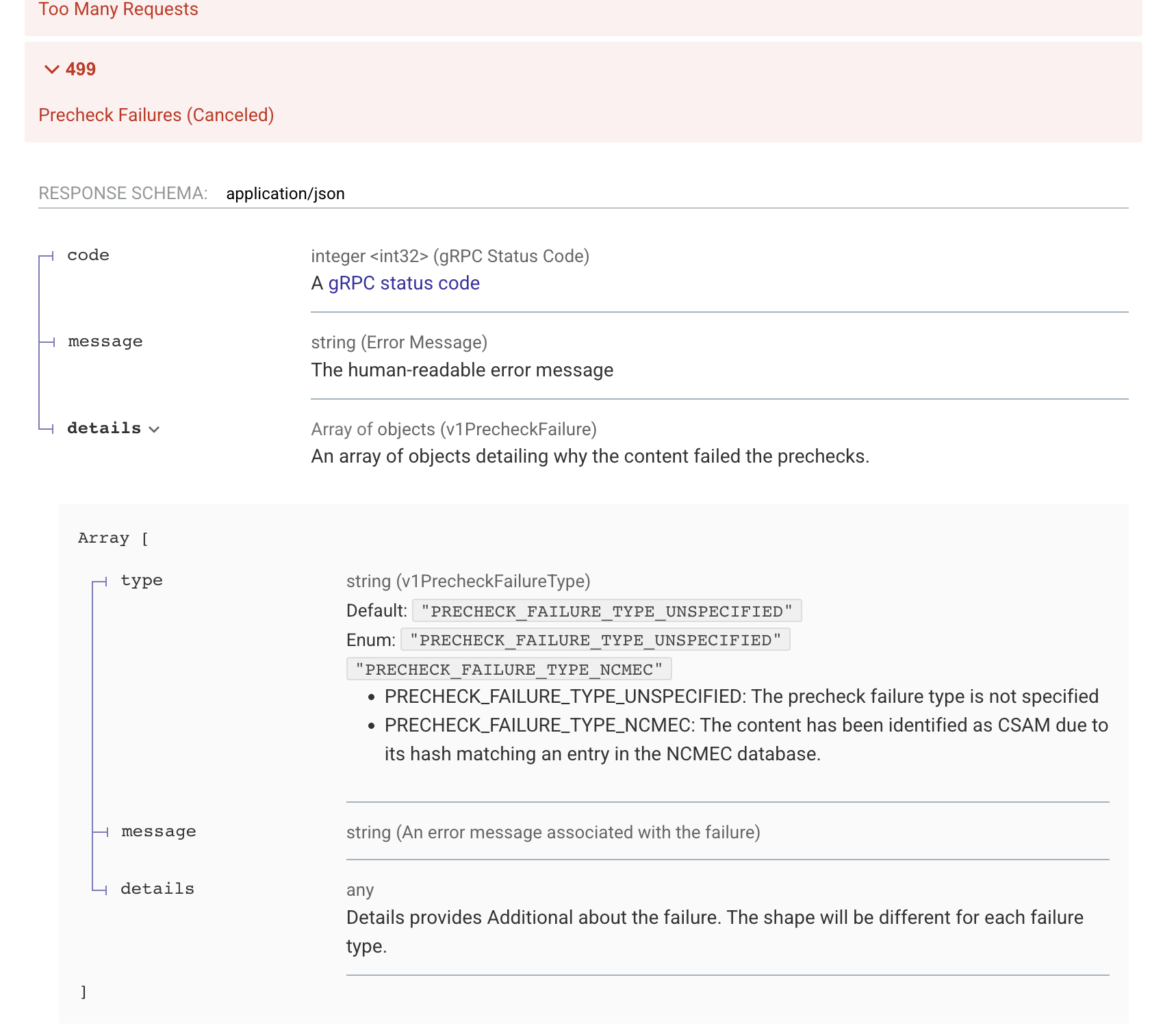
PRECHECK_FAILURE_TYPE_NCMEC. This type means “treat this content as CSAM.”
Match confidence
Precheck failures include amatchConfidence field that tells you how the content was identified and how strong the signal is. This lets you tailor your response to the strength of the match.
Suggested handling
Every confidence tier indicates a potential CSAM match and should be treated seriously. The following is guidance, not a mandate — you know your platform, your legal obligations, and your risk tolerance best, and you should set policy accordingly.EXACTis a confirmed match against the NCMEC database. Many platforms choose to block and report this content automatically.HIGHis a very close perceptual match. It is reasonable to treat it likeEXACTand act automatically, depending on your tolerance for false positives.MEDIUMandLOWare progressively looser perceptual matches. These are good candidates to route to a trained human reviewer before taking irreversible action, rather than auto-enforcing.
- Lock the content down! Ensure other users on your platform can’t view this content.
- Head over to NCMEC’s CyberTipline Report to report the content to NCMEC.
- When filling out the report be detailed and provide as much information as you can.
- You will typically need to isolate the content on your system for a period of time in order to securely share the content with NCMEC.
- From there you should follow guidance and instructions from NCMEC.
We’d Love to Hear From You
Whether you have a suggestion, feedback, or a bug to report, here are the best ways to get in touch:- In the App: Use the Feedback button for direct suggestions.
- On Slack: Reach out to the team in your shared channel.
- With your AM: Talk to your dedicated account manager.
- Via Email: Send a message to support@moonbounce.io.
- Security, availability, or other incidents: Use the in-app Feedback button or email support@moonbounce.io. See Customer Feedback for what to include.