Label Library
The Label Library provides a comprehensive collection of pre-built label templates designed to give you a head start in policy creation. Whether you are detecting hate speech, harassment, or other sensitive topics, the Label Library helps you build robust policies without starting from scratch.
Overview
Creating effective policies takes time, and staring at a blank editor can be daunting. The Label Library solves this by offering a curated selection of labels that you can instantly add to your policies. These templates are optimized for Clavata’s latest syntax, ensuring you are building on a foundation of best practices from day one.
Key Benefits
- Accelerated Onboarding: Skip the initial learning curve and get a functional policy running in minutes.
- Best Practices: Use pre-configured labels that demonstrate best practices for catching your most serious harms.
- Flexible Integration: Add library content to completely new policies or append them to your existing rulesets.
How to Use the Label Library
You can access the Label Library during two key workflows: when creating a new policy and when editing an existing one.
Creating a New Policy
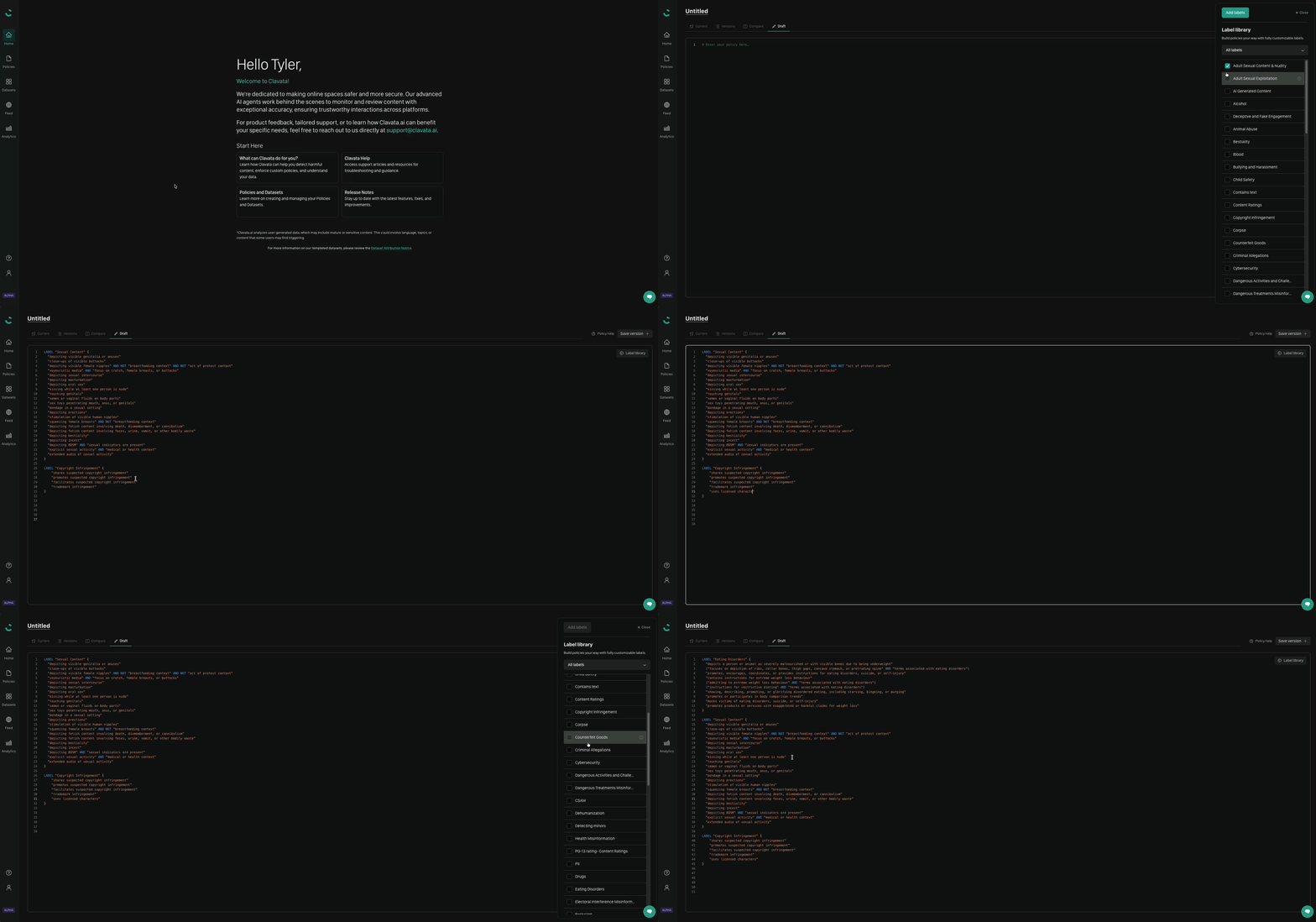
When you start the Create Policy flow, you can choose to begin with a blank policy. From the editor, you will see the option to browse the Label Library.
- Select the labels you wish to include (e.g., Hate Speech, Harassment).
- Clavata will automatically populate your blank policy with the selected content.
It is very important to test any labels against a labelled dataset via the UI to ensure the label(s) are catching what you want!
Editing an Existing Policy
You can also expand your current policies using the library.
- Open an existing policy in the Policy Editor.
- Select the Label Library feature.
- Choose the specific labels you want to add.
- The system will append the new labels to your existing policy code, allowing you to integrate new rules without disrupting your current logic.
Important Notes
- Templates, Not References: When you add a label from the library, it is copied into your policy as a standalone template. It does not maintain a link to the library version.
- No Auto-Updates: Since these are static templates, updates or improvements made to the global Label Library will not automatically propagate to policies where you have already added them. You are free to modify the added code to suit your specific needs.